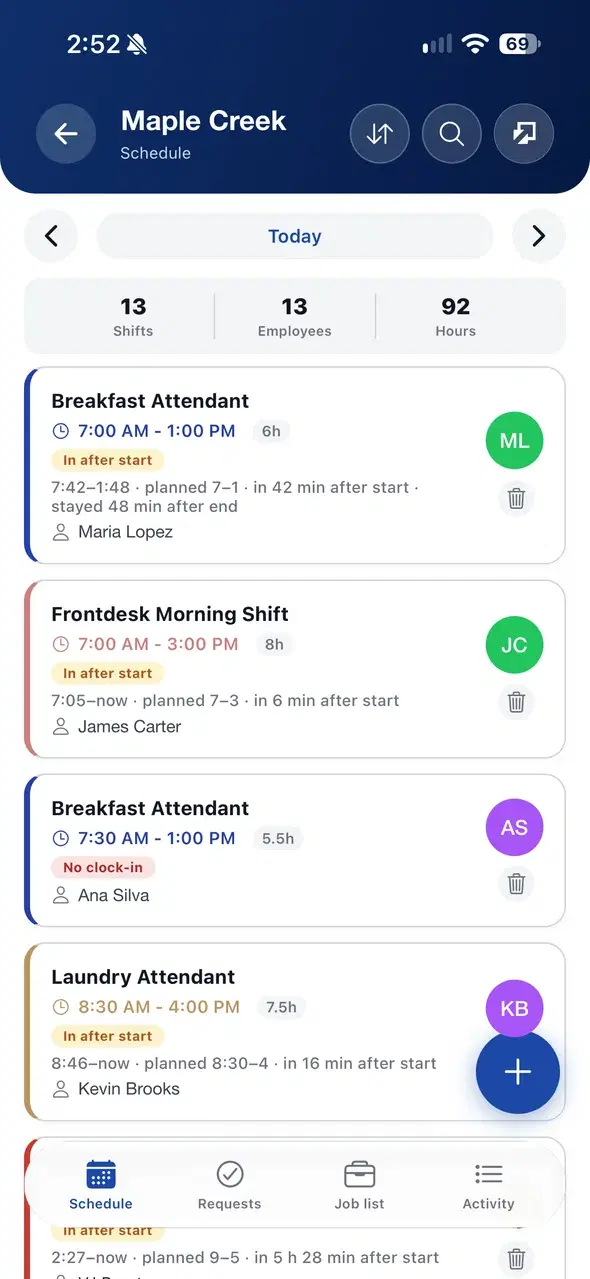
A time clock on every phone.
Staff clock in on site with one tap, managers see who is in now, and timesheets are ready for payroll.


From clock-in to payroll.
Three steps, on the phone and on the web.
- 1
Clock in on site
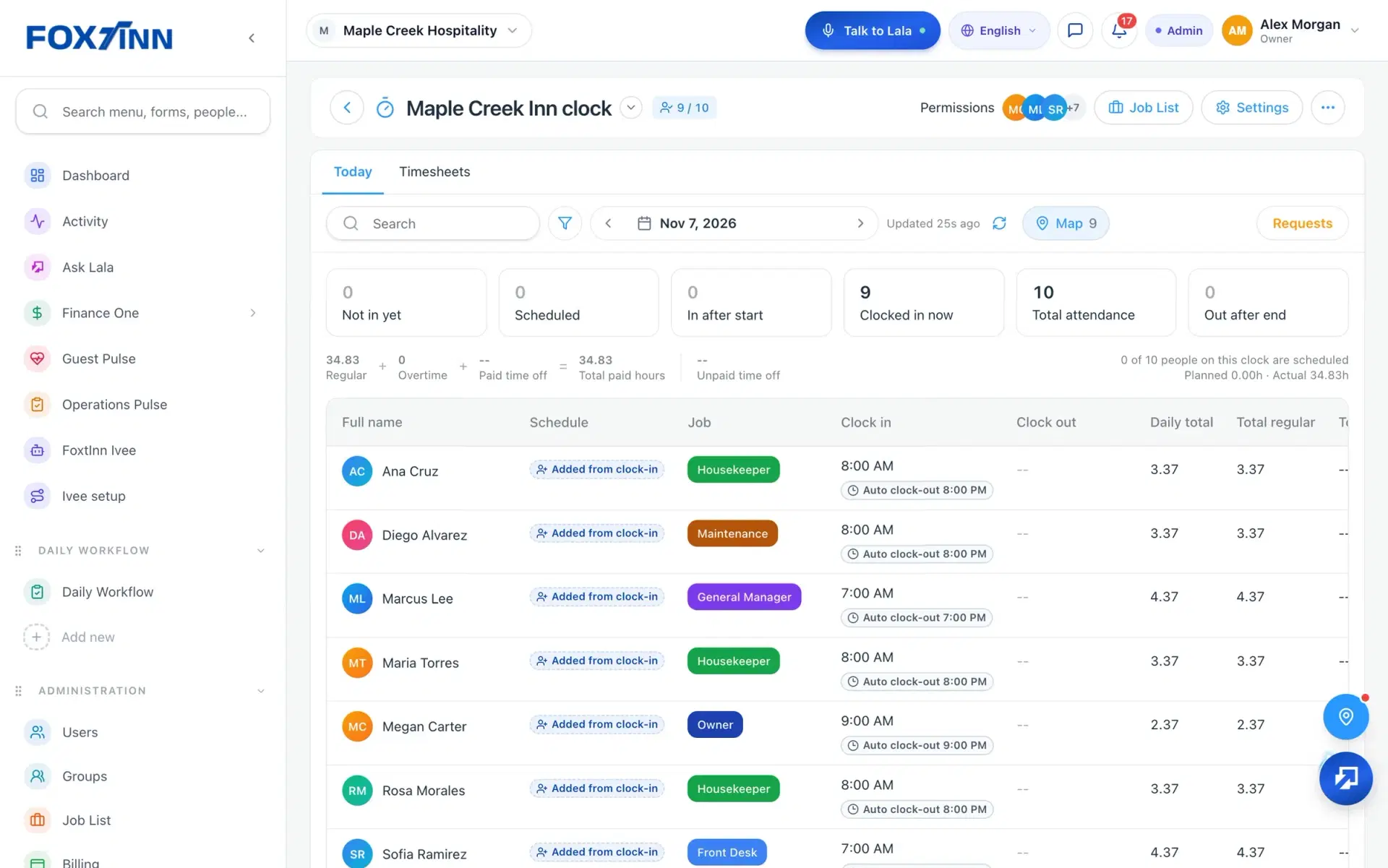
Staff open the Clock page, see themselves on the map and tap one big Clock in button inside the work location geofence.
- 2
See who is in now
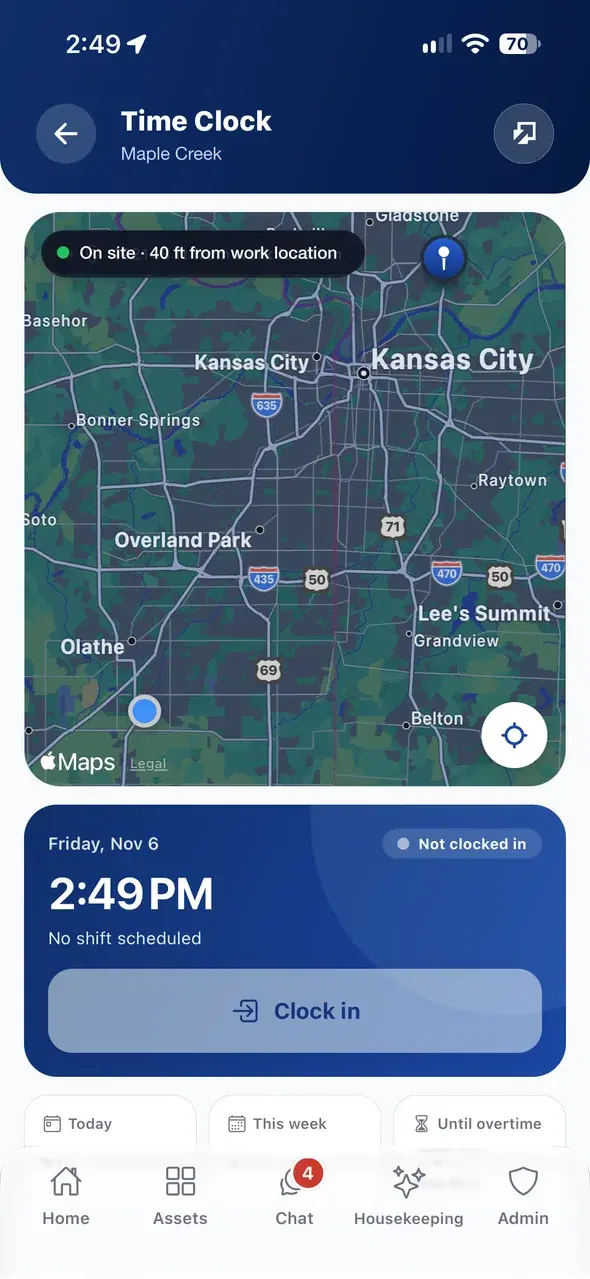
Managers open Today on the web to see who is clocked in now, who is not in yet and each person’s hours so far.
 3
Hours ready for payroll
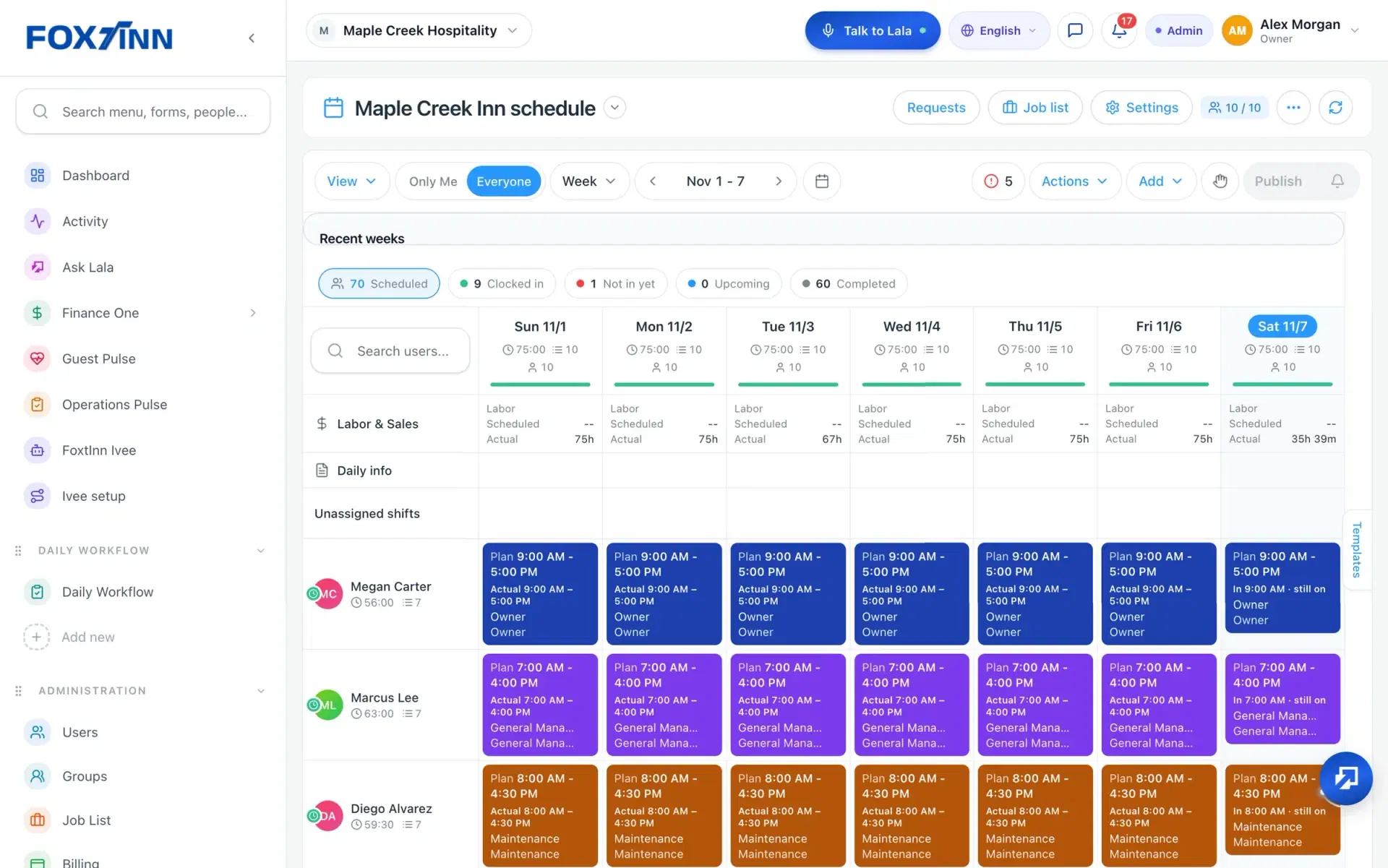
Clock-ins sit next to the planned shifts, and timesheets use the same payroll hours on the phone and the web.
A time clock your team can trust.
Built for any team that works hourly shifts.
Clock in on a map
Staff clock in from their phone inside the work location geofence (about 50 ft), with the map right on the Clock page.
One big button
One Clock in button, and a double tap cannot clock someone in twice.
Who is in right now
The Today view shows who is clocked in now, who is not in yet and total attendance for the day.
Breaks on the server
On the web, breaks are saved on the server and the timer uses server time, so the hours stay consistent.
Timesheets for payroll
Hours match payroll on the phone and the web, with overtime after 40 hours a week. Export timesheets on the web.
Shift timer on the lock screen
In the FoxtInn app, the shift timer shows on the lock screen. Staff see today, this week and time until overtime.
Time clock questions.
How does the GPS time clock work?
Staff open the Clock page in the FoxtInn app, see their location on a map and tap Clock in. The clock-in works when they are inside the work location geofence, about 50 ft.
What happens if someone forgets to clock out?
A forgotten shift can still close automatically after 12 hours, so it does not keep running into the next day. Managers can see the auto clock-out time on the Today view.
Can I export timesheets for payroll?
Yes. Timesheets use the same payroll hours on the phone and the web, with overtime after 40 hours a week, and you can export them on the web for payroll.
Can staff see their own hours and earnings?
Staff see today’s hours, this week’s hours and time until overtime on the Clock page. Managers set each person’s pay rate and choose whether staff see live earnings while on the clock.
Do I need a time clock device?
No. Staff clock in from the FoxtInn app on their iOS or Android phone, and managers follow along on the web. NFC tap-to-clock is not in the store apps.
How do I try the FoxtInn time clock?
Start a free 30-day trial with no credit card required. We set it up with your locations and your team, or you can book a demo first.
One app, not a stack of tools.
Every FoxtInn module shares the same team, locations and roles, so nothing has to be entered twice.
Try FoxtInn free for 30 days.
We set it up with your locations and your team. No credit card required.