Shift scheduling without the group text.
Build the week, publish it to every phone and let staff confirm, send back or claim shifts in one app.


From a blank week to a covered one.
Three steps, on the web and on the phone.
- 1
Build and publish the week
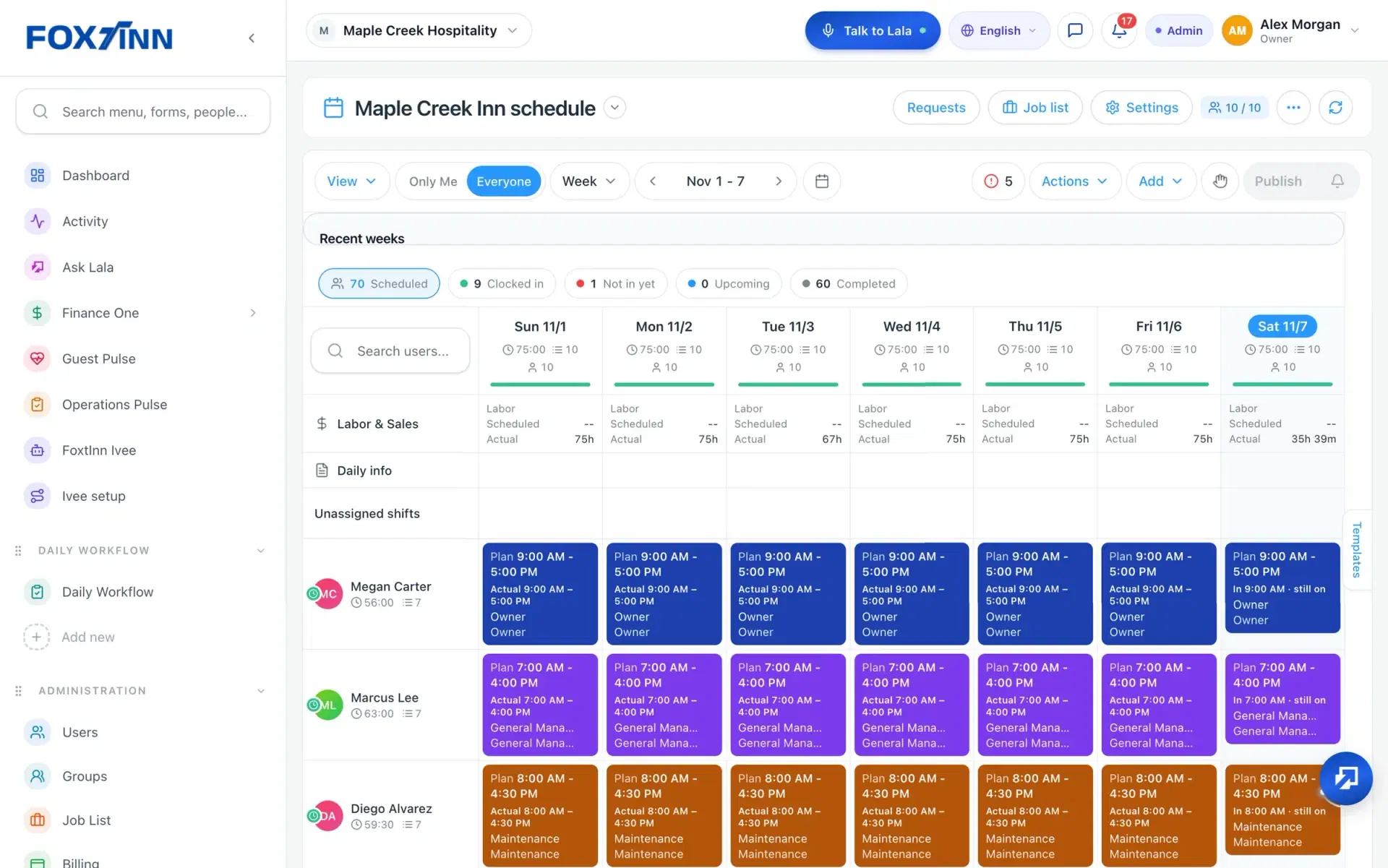
Lay out shifts for each person and department on the web, add open shifts that still need someone, then publish the week.
- 2
Staff see it on their phone
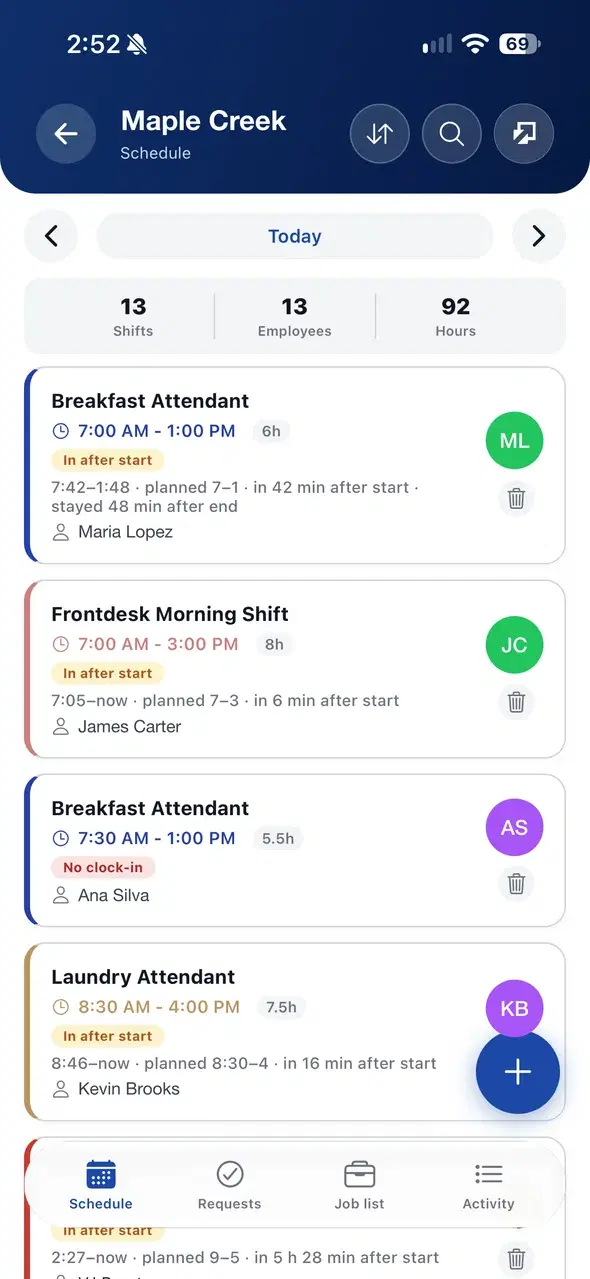
Everyone sees their shifts in the FoxtInn app. They confirm a shift or send it back, and claim open shifts.
 3
Plan meets actual hours
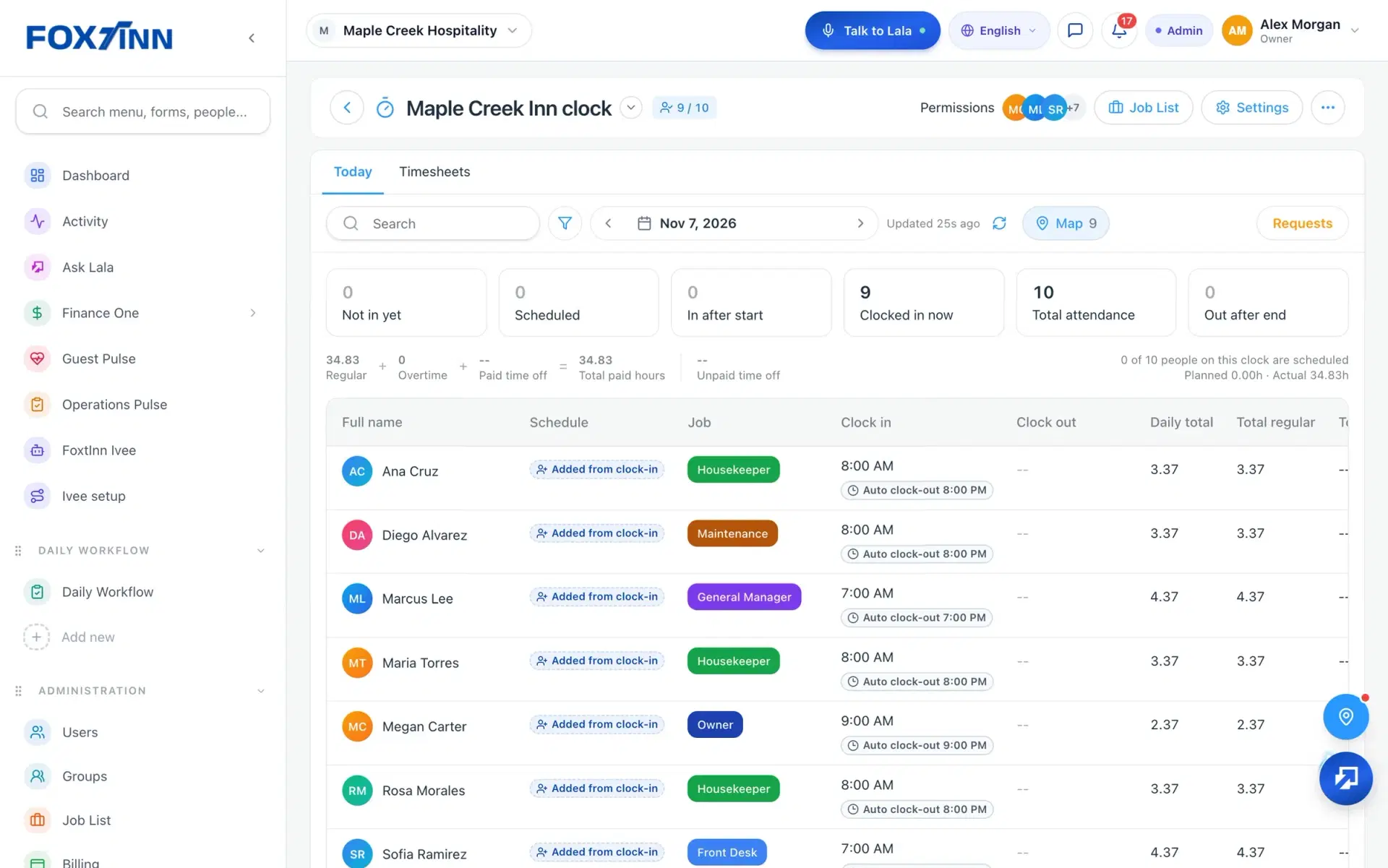
Clock-ins from the time clock land next to each shift, so you can see actual hours against the plan without a spreadsheet.
Everything the weekly schedule needs.
Built for any team that works in shifts.
Publish the week
Build shifts for every department and location, then publish the week when it is ready.
Confirm or send back
Staff confirm a shift or send it back from the app, so you know where the week stands.
Claim open shifts
Post an unassigned shift and let someone claim it in the product instead of a group text.
Planned and actual side by side
The board shows actual hours next to the plan, unscheduled work and shifts with no clock-in.
Labor for each day
Each day shows scheduled and actual labor hours, so you can see the week at a glance.
Time off on the same week
Time off sits on the same week as the shifts, so you see who is away before you fill a shift.
Scheduling questions.
Can staff see their schedule on their phone?
Yes. Staff see their shifts in the FoxtInn app for iOS and Android, in English or Spanish. Managers build and publish the week on the web or in the app.
Can staff pick up or swap shifts?
Yes. Open shifts can be claimed in the app, and shift swaps move through the swap marketplace inside FoxtInn, so coverage does not depend on a group text.
Does the schedule show who actually worked?
Yes. Clock-ins from the FoxtInn time clock show next to each planned shift, with actual hours, unscheduled work and shifts with no clock-in on the same board.
How does time off work with the schedule?
Time off sits on the same week as the shifts, so managers see who is away while they build the schedule. On the web, time off also shows balances.
Does it work for more than one department or location?
Yes. You can schedule every department and location in one account, and switch the board between everyone and only your own shifts.
How do I try FoxtInn scheduling?
Start a free 30-day trial with no credit card required. We set it up with your locations and your team, or you can book a demo first.
One app, not a stack of tools.
Every FoxtInn module shares the same team, locations and roles, so nothing has to be entered twice.
Try FoxtInn free for 30 days.
We set it up with your locations and your team. No credit card required.